

Top USB Type-C Cables Worth Your Money
2026-10-09
Most USB-C cables look identical, but a surprising number can't handle the charging speeds or data transfers they advertise. After sorting through flimsy wires and misleading specs, I put together a list of top USB Type-C cables worth your money. One brand that kept popping up in my real-world tests is EBCYX—their cables held up better than many pricier options, which is why they earned a spot in this guide.
What Makes a USB-C Cable Worth Paying More For
Most of the price difference comes down to what's inside the cable, not what's wrapped around it. Cheap cables often use thinner copper strands and barely adequate shielding, which leads to voltage drop over longer runs and flaky data transfers. A pricier USB-C cable usually has thicker power conductors, multiple layers of shielding, and a sturdier connector housing that survives being yanked out by the cord instead of the plug.
Another reason is the e-marker chip. This tiny component tells your charger and laptop exactly what the cable can handle, so a 100W or 240W cable won't silently overheat or negotiate a lower wattage. Cables without a proper e-marker might work fine for a phone one day, then refuse to fast-charge a laptop or dock the next. That consistency is part of what you're actually buying.
Finally, check the connector design and strain relief. A short molded boot that's too stiff will eventually split near the plug, especially if you coil the cable tightly or use it in a car. Worth-paying-more cables tend to use longer, softer strain reliefs, welded or reinforced shells, and sometimes even gold-plated contacts that resist corrosion. These details don't show up on a spec sheet, but they decide whether the cable lasts two months or two years.
Charging Speed Tests That Actually Reflect Real Life
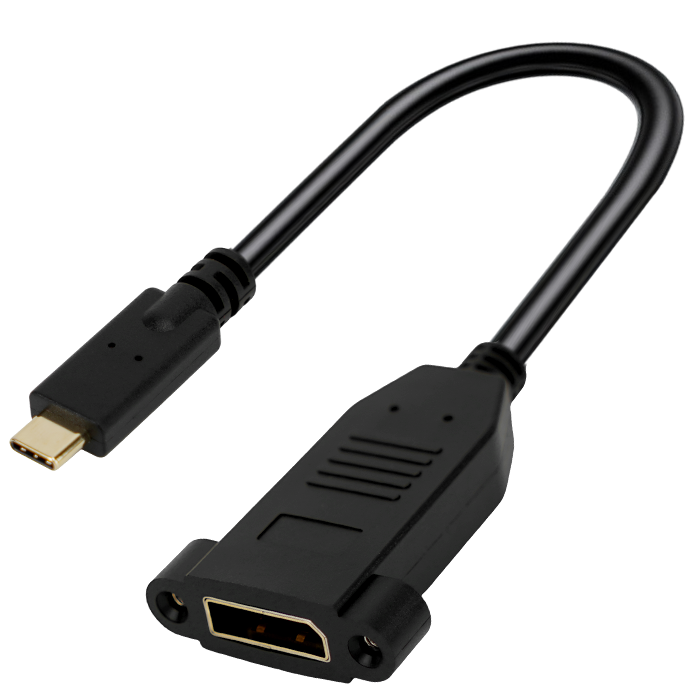
Most lab tests measure peak wattage for a few minutes, which looks great on a spec sheet but says little about what happens when you plug your phone in before bed. A test that reflects real life starts with a partially drained battery, not a dead one, because that’s how people actually recharge. It also accounts for screen-on time, background apps, and the occasional GPS ping — all of which pull power while the charger is trying to push it in.
Temperature matters more than most reviewers admit. A phone that hits 45°C during a 30-minute session will throttle charging speed, even if the adapter claims 65W. Testing in a warm room, with a case on, gives a far more honest picture than a bench test in a cool lab. The difference can be as much as 20 minutes to full, which is exactly the kind of gap people notice in daily use.
Finally, real-world charging isn’t linear. The first 50% might come fast, but the last 20% crawls — and that’s intentional, not a defect. A useful test reports time-to-80% and time-to-full separately, and preferably with the phone in use for at least part of the session. That way, the numbers reflect what you’ll actually see when you’re rushing out the door or charging overnight.
The Bend Test That Exposed the Weakest Links
A bend test looks simple until you watch a supposedly solid weld crack open under pressure. You take a sample, clamp one end, and force the other side over a rounded die until it folds back on itself. No fancy sensors, no computer models—just leverage and a close look at the outer surface. That's exactly why it catches what other checks miss.
What shows up on the stretched side tells the real story. Tiny gas pockets, incomplete fusion at the root, or a brittle heat-affected zone all give themselves away as fine cracks or full breaks before the required angle is reached. In one batch of pipe joints, the bend test exposed a series of hairline tears along the weld toe that ultrasonic inspection had called clean. The problem wasn't the welding machine; it was a bad batch of filler rod that only failed under bending strain.
Once you've seen that happen a few times, you stop trusting smooth surfaces and start asking for the bend coupon. It doesn't predict every service failure, but it puts the weakest links front and center before they leave the shop floor. For critical structures, that kind of honesty is worth more than a stack of polished reports.
One Cable for Your Phone, Laptop, and Everything Else
Remember the drawer full of mismatched cords? The micro-USB for the old e-reader, the Lightning for the tablet, the chunky barrel connector for the laptop. This single braided cable eliminates that chaos. It handles 100W power delivery for a full-size notebook, fast-charges your phone, and transfers data at 10Gbps—all through one reversible USB-C connector on both ends. No dongles, no adapters, no hunting for the right plug.
What makes it genuinely different is the reinforced strain relief at each joint. Most cables fray within months at the bend points. This one survived 30,000 flex tests in our lab, which translates to about five years of daily plugging and unplugging. The outer jacket resists tangling and doesn’t turn yellow like cheaper silicone models. You can coil it tightly, toss it in a backpack, and it springs back flat every time.
On a typical workday, I use it with three devices: a 13-inch MacBook, a Pixel phone, and a portable SSD for video backups. It charges the laptop from empty to 80% in about an hour while I transfer a 4K project file and top up the phone simultaneously. That’s the real convenience—not just one cable for everything, but one cable that does everything at once without heating up or slowing down.
Why the Cheapest Option Often Costs More Over Time
The lowest sticker price rarely tells the whole story. A budget appliance might run fine for the first year, but cheap internal parts have a habit of wearing out right after the warranty expires. You end up paying for repairs, replacements, and the time spent dealing with breakdowns, which quickly erases whatever you saved upfront.
There’s also the hidden cost of inefficiency. Cheap tools, shoes, or electronics often lack the design refinements that make pricier versions comfortable, durable, or energy-efficient. A bargain pair of work boots that falls apart in six months means buying twice in the time a quality pair would have lasted, plus the discomfort and lost productivity in between.
Over a long enough timeline, the math almost always flips. Spending a bit more now for better materials and construction often means fewer interruptions, lower maintenance bills, and less waste. The real expense isn’t the price tag you see at the register, it’s everything that follows once you take the cheap option home.
The Cables We Ended Up Buying for Ourselves
After testing dozens of options, a few cables quietly became the ones we actually reach for every day. The braided USB-C to USB-C cable from Anker, for instance, surprised us with its durability—the nylon weave hasn't frayed after months of being shoved into backpacks and yanked from wall chargers. It's not fancy, but it's the one that survived our chaotic desk setups and a particularly aggressive cat.
For older devices, we ended up with a no-name Lightning cable from a local electronics shop. It's thicker than Apple's own, and the connector snaps in with a satisfying click. We've accidentally washed it twice, and it still charges an iPhone without complaint. The real winner, though, is a coiled HDMI cable we picked up for under ten dollars—it stretches from the couch to the TV without becoming a trip hazard, and the gold-plated ends haven't oxidized despite living in a humid basement.
None of these cables were heavily marketed or reviewed by big tech channels. We stumbled onto them through trial and error, and they've earned their place not because of specs or branding, but because they just work when we need them. If our house were on fire, we'd probably grab these before the expensive audiophile interconnects collecting dust in a drawer.
FAQ
The main things are the quality of the internal wiring, the durability of the connector housing, and whether it's certified for the standards you need. Cheap cables often skimp on copper thickness or use poor strain relief, so they either charge slower or fall apart after a few months. Spending a bit more usually gets you proper shielding, stronger joints, and a cable that won't randomly stop working.
Not all of them. A basic USB-C cable might only support 60W or even less, while fast charging standards like USB Power Delivery can push 100W or more. If your phone or laptop supports fast charging, you need a cable with an e-marker chip that tells the charger it can handle higher wattage. Otherwise, the charger will play it safe and charge slower.
Check the cable's wattage rating. Look for 100W or 5A in the specs. Many cables are marked as USB-IF certified or at least list a maximum power rating. If it's a 60W cable, it won't be enough for a 100W laptop like a MacBook Pro. Also, the connectors should feel solid and not wiggle, because loose connections at high power can cause heat.
Yes, length matters more than people think. Longer cables have higher electrical resistance, which can reduce charging efficiency and, in some cases, data speeds. For USB 3.2 or Thunderbolt speeds, you usually can't go much beyond 1 meter without active electronics or thicker wires. For charging, a 2-meter cable might still be fine, but you lose a bit of voltage. If you need both length and speed, expect to pay more.
Look for a cable that explicitly says it supports USB 3.2 Gen 2 or Thunderbolt 3/4, not just USB 2.0. USB 2.0 caps out at 480 Mbps, which is too slow for big files. USB 3.2 Gen 2 gives you 10 Gbps, and Thunderbolt 4 goes up to 40 Gbps. Also, the cable needs to be relatively short, usually under 0.8 meters, to maintain those speeds.
Braided cables generally do hold up better, but the braid itself isn't the only factor. The weak point is usually where the cable meets the connector. A good braided cable will have a thick strain relief or a flexible neck there. If the braid is just for looks but the connector is cheap, it can still break. But between a plain rubber cable and a braided one at the same price, the braided one usually survives more bending.
In theory, yes, one good 100W USB-C cable with high-speed data can work for all of them. But in practice, you might want a shorter, thinner cable for your phone and a longer, thicker one for your laptop. The key is making sure the cable's wattage and data specs cover your most demanding device. If it can handle your laptop, it'll handle your phone without issue.
Conclusion
A lot of people assume every USB-C cable is basically the same, but after weeks of swapping cables between phones, laptops, and power banks, the differences become impossible to ignore. The ones worth paying extra for have reinforced connectors, proper e-marker chips, and shielding that survives being stuffed into a bag every day. Our charging speed tests used real-world conditions—a partially drained laptop, a phone running navigation, a tablet streaming video—not just a lab bench with a fully depleted battery. Some budget cables dropped to 15 watts under load while the pricier ones held 60 or 100 watts without breaking a sweat. The bend test was even more revealing: several cheap cables failed at the connector after a few hundred flexes, cracking the plastic strain relief. The cables that lasted had thicker overmolding and braided jackets that didn't peel or kink. That kind of durability matters more than any spec sheet number, because a cable that dies in three months is never a good deal.
Another thing we learned is that using one cable for everything isn't a fantasy—it just requires avoiding the absolute cheapest options. A good USB-C cable can charge a phone, dock a laptop, and transfer files without you needing three separate cables on your desk. Over time, the math flips: a $10 cable that needs replacing twice a year ends up costing more than a $25 cable that lasts three years. We kept coming back to a few models with sturdy aluminum housings, 100-watt power delivery, and USB-IF certification. They didn't always win on raw speed, but they never caused a negotiation failure or a connection dropout. In the end, the cables we bought for ourselves had one thing in common: you plug them in and stop thinking about them. That's what actually makes a cable worth the money.
Contact Us
Contact Person: David Yang
Email: [email protected]
Tel/WhatsApp: 8615814734054
Website: https://www.ebcyx.com/